 Games
Games
About this tool
Pick a figure along the top and drag its green handles. The angles are worked out again as you drag, and the working on the right changes with them.
Click an angle to change how it shows: its size, a letter such as a to work out, or nothing. Untick Show answers and the answers in the working become blank lines for the class to fill in.
The figures
- Measure. One angle on a protractor. Drag one arm to open it and the other to turn the whole angle. Past 180° the protractor becomes a full circle. The type of angle is picked out underneath: acute, right, obtuse, straight, reflex or a full turn.
- Line or point. Two to four angles on a straight line, or two to five round a point, adding up to 180° or 360°.
- Crossing lines. Two lines cross. Opposite angles stay equal as you turn them.
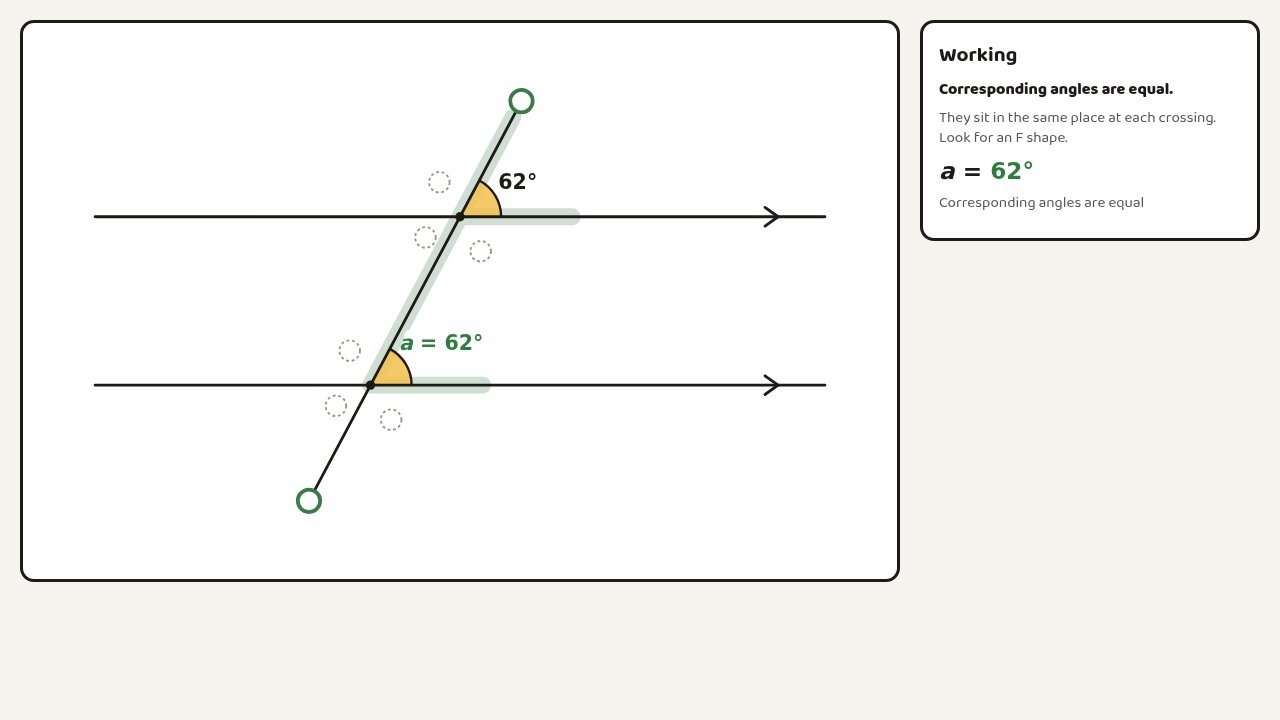
- Parallel lines. A line crosses two parallel lines. Pick corresponding, alternate, co-interior or vertically opposite angles and the F, Z, C or X shape they make is shaded. Press Another pair for the next one, or show all eight angles.
- Triangle. Drag the corners and the three angles always make 180°. Press Tear off the corners and they slide down onto a straight line. Tick Show an outside angle to see it equals the two inside angles opposite.
- Polygon. Three to ten sides, regular or dragged out of shape. Split it into triangles to see where the angle sum comes from, or show the outside angles and slide them together into a full turn.
For worksheets
Press Copy image and paste the figure into Word or Google Docs, or download it as a PNG or SVG. The handles are left out. Tick Black and white for figures that photocopy well.